What's New
Bug fix...
Bug fix...
Size:
Category:
Productivity
Productivity
OS:
iOS
iOS
Price:
$9.99
$9.99
Compatible:
iPhone iPad
iPhone iPad
Requirements:
Compatible with iPad.
Compatible with iPad.
Version:
1.6.1
1.6.1
Description - Pages
HIGHLIGHTS
- you can make business cards..
- With the function buttons on the key board..
- This app is the best app for doing homework..
- and already I have utilized this program to write papers..
- Great for college students or anyone applying to jobs..
.
Overall Satisfaction61
Absolutely the best word processor on iPhone or iPad.
This word processor has bad functionality issues right now.
The best word processing app for including media and pictures.
The one thing a word processing app CANNOT do is crash.
the most frequently asked-for feature is Dropbox support.
Google dropped the ball by removing DropBox support from QuickOffice.
It would also be nice to have more fonts in general.
but still needs more fonts and needs support for "track changes.
Thanks Apple for a great inexpensive well functioning Ap.
Thanks Apple I know you will fix it.
Everything is still working great job Apple.
Poor job Apple.
I completely recommend Pages for anyone who has an apple device.
Fun & Engaging57
It would also be nice to have more fonts in general.
more fonts and more color pallets to choose from.
but still needs more fonts and needs support for "track changes.
Add a few more templates like maybe: newspaper front page.
and in the next update can you guys add more templates.
Pages for iOS needs more templates to choose from.
Pages is Awesome to the Max.
Pages is awesome.
It's an awesome word processing app.
Awesome Word Processor.
Usefulness30
I love this and I use it for everything.
I use it for everything school related.
integration with google docs would make this app a lot more useful.
would make this app a lot more useful.
Ease of Use28
a simple word processor to use on the fly.
It's a great simple word processing app.
Reliability30
Security & Privacy52
Desperately need to add a password protect feature on documents.
Now I'm hoping they add password protection in a future update.
Please please please add password protection to future updates.
as long as you stay below 2GB on your Dropbox account.
Updates & Support36
well worth the 10 bucks :. found in 11 reviews
Best wp for ipad4 period. found in 6 reviews
I think this app is awesome for writing stories /notes/lyrics. found in 7 reviews
Now I can work on my school projects while at school. found in 12 reviews
This is an absolutely beautiful word -processing app for the iPad. found in 14 reviews
talk about what's voice recognition as far as wordprocessing. found in 3 reviews
I use this app to write essays and it's unbelievably simple. found in 12 reviews
I'd like to drag and drop the order of the pages. found in 11 reviews
Personally I use this for homework. found in 8 reviews
Letting me do some last minute tweaks. found in 10 reviews
I'm a teacher and I make my students' grade sheets on here. found in 11 reviews
But without landscape mode I won't be getting very much done. found in 30 reviews
It definitely needs folders to store documents in. found in 31 reviews
I really like this app but please add the ability to highlight the text. found in 60 reviews
Utterly useless without WORKING printing and DropBox integration. found in 60 reviews
Apple please add support for dropbox and foldersile. found in 87 reviews
Decent program but why can't Apple fix the font issue. found in 33 reviews
This would be great if it could incorporate landscape mode for iPhone. found in 19 reviews
Pages doesn't fell intuitive instead it just is frustrating. found in 36 reviews
so I will open Pages to find every single document missing. found in 32 reviews
My only request is to add Dropbox support to the iWorks suite. found in 30 reviews
Documents won't open and other problems. found in 16 reviews
This app doesn't open documents made in iWork '08. found in 53 reviews
and since Pages doesn't support Google Docs or Dropbox directly. found in 36 reviews
pages needs to go full screen and fix the tab. found in 30 reviews
Good app but still missing key features. found in 8 reviews
Please configure it to be more compatible with file transfer. found in 17 reviews
Apple needs to fix these before i give it a five star rating. found in 53 reviews
It would be nice if they added the ability to highlight text. found in 60 reviews
please add an equation editor like MS Word. found in 21 reviews
Apple please update or I take my two stars away. found in 87 reviews
I loved this app until I wanted to insert a picture. found in 79 reviews
Terrible document editor and or new document processor. found in 82 reviews
Pages app is frozen before install is complete. found in 203 reviews
It is incompatible with pages documents prepared on a mac. found in 155 reviews
No command+b for bold. found in 65 reviews
My Bluetooth keyboard tab button basically useless. found in 103 reviews
THIS version of Pages is definitely NOT essential-its useless. found in 146 reviews
There is no way to track changes. found in 100 reviews
Even regular text comes out distorted on word docs. found in 100 reviews
Pages is unable to IMPORT documents with footnotes. found in 77 reviews
Google dropped the ball by removing DropBox support from QuickOffice. found in 112 reviews
Forget it if you we looking for MS Word capabilities. found in 145 reviews
Very disappointing compatibility with existing word documents. found in 240 reviews
This update still fails to connect to iCloud. found in 90 reviews
While pages does not support dropbox or google doc upload. found in 84 reviews
It does not import files from the Mac version of Pages correctly. found in 193 reviews
Major overhaul and fix is urgently needed for Pages App. found in 83 reviews
Pages for iPad doesn't support Pages documents made before iWork 09. found in 85 reviews
The Pages is now available for $9.99 for both iPhone and iPad owners.The application is available in multiple languages: English, Chinese, Dutch, French, German, Italian, Japanese, Russian, Spanish. It weighs in at only 10MB to download. The new Pages app version 1.6.1 has been updated on 2014-11-19. The Apple Store includes a very useful feature that will check if your device and iOS version are both compatible with the app. Most iPhone and iPad are compatible. Here is the app`s compatibility information: Compatible with iPad. Requires iPhone OS 3.2 or later.
Bottom Line: For more information about Pages check developer Apple Inc.`s website : http://apple.com/ipad/features/pages.html
Bottom Line: For more information about Pages check developer Apple Inc.`s website : http://apple.com/ipad/features/pages.html
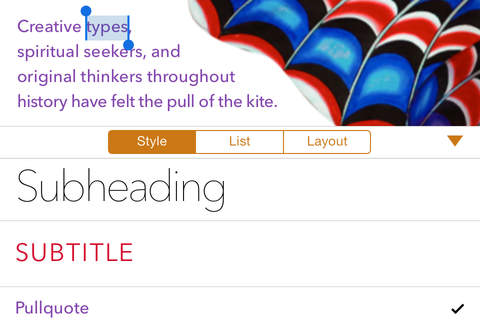
Pages is the most beautiful word processing app ever designed for a mobile device. It s the application you know and love for the Mac, completely reworked from the ground up for iPad. Documents ...
I guess its a darn good thing I dont really need this app considering that I cant even get it to install Thankfully I was able to get the first attempts at downloading deleted And all this on a brand new iPad Wont even install
This app is going downhill I cant open a document and Ive been writing for months It keeps saying that the app needs an update but there is no update I cant open a document
It will only let me type half of a werd so it needs to b updated because it also turns voiceover off pages
As soon as I click the icon it closes immediately rendering pages useless Closes crash on open
I love your program it is one of the most used app in my medical office thank you The only the I have a problem with is I would like to be able to save to my photos Pages
Also a lot of crashes GIFSupport needlessly taken away
Why on earth is this missing such a simple common feature as case change Why no change case options
Good Review
Great for students Great
I cant use this app it is frozen in the middle of installing cant delete it wont finish installing and wont open App is frozen
Just doesnt work Broken since update
I use Pages for all my essays and reports but I wish this app allowed me to make custom templates for things literary reviews Homeschoolers Friend
I love this app when it works Its got too many bugs I cant use it right now Typical troubleshooting isnt helping Please fix my livelihood depends on my paperwork generated in this app I cant afford to have these problems Its wasting valuable time waiting for the screen to respond to my taps and restarting after crashes every 5 minutes or less Crashing frequently delayed response to screen taps
Pages user for years Not word but still pretty good BUT two days ago it lost all my filed documents 100 Recoverable but why should I have to You guys could do a lot better than this Shame lost files
the app is great I have it on both my phone and iPad but recently Ive been having a problem whenever I try to move the cursor to a specific spot a small magnifying bubble pops up to show the location of the cursor under your finger but its side ways and not showing the right location I have this same problem on keynote as well please fix this its very hard to fix mistakes when you cant get the cursor in the right spot sideways magnifying
This app zooms in randomly for no reason in the new version and pictures are invisible and pictures are unplaceable and I have an assignment due tomorrow and now Im screwed WHY GOD
Pages is the best word processor on the AppStore I recently discovered using Pages that my exgirlfriend was trying to summon undead skeletons to assassinate me Very helpful Best There Is
I am surprised by some of the reviews I have been using pages for a few years and I am having none of the problems of others Maybe I am merely adapting but I prefer Pages to other apps love it
This app does not make sense Its cumbersome to use Just inserting bullets is timeconsuming I tried to insert a mu symbol and it took me 5 minutes to figure out and its not so clear how to learn shortcuts Inserting photos and tables is also difficult When I try to insert a photo it doesnt insert where I originally indicated Furthermore when I open a folder it always goes to my earliest photostaken months ago It should immediately take me to the most recent photos When I insert a table and it goes over the page instead of logically stopping before the footer and beginning again after the header on the following page it just spills over off of the page and wont start a new page Does this make sense Difficult to format difficult to find anything on all
This last update for iPhone 5 is terrible Drive doesnt work right when uploading changes from the iPhone takes forever to upload or doesnt work at all and it overall operates much slower than before From now on Im not updating anything if it already works right including iOS which may be part of the problem Get the software right the first time like it was before smartphones jeez Regular pages user
I have used Pages between devices to update documents for two years With the purchase of a new iPad in mid 2015 changes made on this iPad do not update to Mac Book Pro or iPhone Apple tech support has been unable to fix the problem after 6 hours of phone support plus a referral back to the software engineers Does not update docs with new iPads
So I am a writer I mean college student note taker essay writer ect and this app is HORRIBLE I LOVE and I mean LOVE apple products and Im so shocked that this app wasnt given the amount of detail and perfection I have come to expect The app doesnt fit the screen It is so hard to write because unlike Notes it just isnt fitted to the screen Not only that but the font editing is annoying I want to be able to highlight and SEE what and where I am writing I would love to be able to use Pages on my iphone6 but Notes beats it by a long shot Apple dearest Apple Team please update this app Shockingg
mightve fixed some bugs but the zoom bubble is still sideways after rotating to landscape and stays that way even after going back portrait Thats the only bug I noticed And its still there The recent update
Updated pages and trying to open a new document results in a crash Constantly crashes
Amazing app for apple Great app
Doesnt support multitasking iOS 9
Please fix Great app but please fix when I indent tab it doesnt capitalize the first letter of the new paragraph when you insert or errpace a page break pictures move too Please add Please add please add split screen for the ability to have two documents up at once The ability to reorder pages if you have several pages and you want to change the order If you have page numbers theyd automatically adjust I really think these changes would greatly improve the app Great app
Everything seems to be okay Good enough for daily reading documents without waiting to start up pc But editing mode is limited somehow feel not convenient Great
This is a really great app that takes advantage of my iPhone 6 screen size Great
Does everything I need it to do and works beautifully with iCloud Love It
No matter what it is landscape or just straight up the keyboard always seems to be screwed up Mostly the right side I can never even erase Please fix this I cant even use this app anymore when it does this Keyboard
App does not install after update Completely unusable Fix ASAP MAJOR ISSUE
My notifacation table keeps glitching Bug for software only way i can tell yu
After two years of no problems with Pages it suddenly deleted every document in the app iCloud was not turned on for Pages so it didnt just move the documents there they are just gone Hours and hours of work gone Looking for another word processing app Pages deletes documents
Cant open documents from Onedrive the app ask to login iCloud and the Drive icon is missing even when you turn the option on Onedrive Google Drive
Every since I update my phone software this app will NOT finish downloading Plus I cant delete it from my phone either I feel like this app is a waste of time and space Please fix the app so it will download or so I cant delete it All bad
Loved it until last update I lost so many documents I get upset every time I use it knowing I lost so many important documents Ugh
Stopped working Pretty disappointed now I can neither use it nor delete it Not working
Havent been able to use Pages since the latest update over a month Wont finish loading and cant delete Update for ipad stalled
No longer allows me to open files Ive written natively on the iPad I have a resume I really need to access tried everything but still wont open Pure garbage very frustrating Fix your fundamental apps Applecome on Corrupted wont open saved files
I recently did the update for pages because it would not allow me to use the app until I did Once I updated the app it allowed me to use it but deleted ALL of my documents I had about 15 documents for work on there one of which being critical that are gone and no where to be found Make sure you email yourself all of the files you have before doing any updates or you could loose all of your documents like I did Very FRUSTRATING Update deleted all my Files
The premise this app and its intention is there but the backend of the app needs some serious attention Updating with new documents is slow across all iWork apps Often times it does not update leaving the progress loading bars empty for hours This often forces me to force quit the app so that the update process restarts Needs attention
They need to fix that it has a huge problem uploading my documents after theyve been edited over my cellular data plan Ive allowed it to use cellular data so Im not sure why it can take 510 minutes to upload half a megabyte over LTE I need this feature fixed because I do not use wifi very often I dont have it at my house Needs fix for uploading changed docs over cellular data
I recently installed Pages to use for class writing and my own novel writing So far this app seems great except for a few rumors I see about documents not being updated quickly Everything about Pages is awesome easy to figure out easy to use tons of options for formatting and editing including highlighting italics and more all easily accessible and easy to find Except for one problem there are no folders There is no way to organize or group documents which makes it a lot harder to find stuff and keep it organized It may seem like a minor problem but its very frustrating when youre trying to keep multiple subjects in order Adding this feature in a future update would seal my loyalty to this otherwise excellent app Great except for a few things
I keep all my recipes in pages The template was awesome You just pop the ingredients in its section and the directions in the next section The updated version no longer has a recipe template Anyone know what happened Am I missing something Help Where did the recipes template go
BEWARE This new ios pages will NOT open your older docs after you allow ios updates Your docs cannot be opened converted etc Use microsoft works or adobe which are always backward compatible This is a serious flaw You cannot export save in another file Also you cannot even open new ios pages docs on your mac if your mac is not running 108 Apple will NOT make programs backward compatible Jerks Cant read old pages docs
I like the clean sleek look of the documents I can create with this app I got this app to type class notes on my iPad transfer the notes to my computer and be able to search terms Then I found out that in order to transfer via iCloud it costs 20 to buy the app for my computer and then I can search terms organize notes etc But I dont want to deal with another app another format More space eaten Im going back go Microsoft Word good for word processing yet another app to buy on my computer
First NOTHING beats Microsoft Office when it comes to Word Processors Which at this point you can download Office for free on the Apple App Store and the Google Play store Other than that this app is still nice BUTthey need to do something so that it doesnt take practically a day just to download itits ridiculous Nice app but issues
Honestly its a fantastic app Once you get good at it you can work with it almost as good as pages for Mac Layout is fantastic and natural Templates are beautifully designed I cant think of anything to complain about honestly Best word processing application on the App Store
For months now the app is loading or waiting Cant be deleted and restarting the download does nothing Keynote and Numbers are just fine Someone at Apple needs to be laid off Wont finish update
By Kostas Gar.