What's New
Bug fix...
Bug fix...
Size:
Category:
Productivity
Productivity
OS:
iOS
iOS
Price:
$9.99
$9.99
Compatible:
iPhone iPad
iPhone iPad
Requirements:
Compatible with iPad.
Compatible with iPad.
Version:
1.6.1
1.6.1
Description - Keynote
HIGHLIGHTS
- I can now easily embed videos from my camera roll..
- with the audio of the voice over being its main purpose..
- Sharing options..
- Awesome app and tech support just as good..
- File transfer from laptop to iPad was easy..
.
Overall Satisfaction62
This is hands down the best presentation software available.
This app is so cool and useful and wayyyy better than Powerpoint.
Thanks Apple for the numerous improvements and for listing our voice.
This is even better than Microsoft Power Point.
I really love the transitions.
I am simply amazed at how easy and professional it was.
Fun & Engaging70
Needs more themes You can use it in horizontal position.
Awesome presentation app.
Usefulness26
Production Values57
Where are the sound effects.
Sound Effects.
Creating a presentation with the multi- touch interface feels just right.
Ease of Use31
Amazingly Easy To Use.
Unbelievably intuitive.
Reliability37
Updates & Support23
fantastic new update.
Still remain. found in 2 reviews
As I was going through the tutorial that came with the app. found in 3 reviews
then this is a long anticipated update. found in 3 reviews
keynote for icloud beta is currently available in english only. found in 1 reviews
People who use presenter notes. found in 1 reviews
3D Bar Graph Bug. found in 1 reviews
Make it be able to post on stuff like Facebook and Instagram. found in 1 reviews
This app has been a lifesaver for last minute changes. found in 5 reviews
Breakthrough app that blows me away. found in 2 reviews
It is a very user friendly app. found in 13 reviews
Serves to me as a great study tool. found in 2 reviews
Can a productivity tool be beautiful. found in 6 reviews
I use it everyday for my school projects. found in 11 reviews
It makes a great impression. found in 2 reviews
They actually thought it took a lot of effort. found in 3 reviews
This is hands down the best presentation software available. found in 37 reviews
It's the easiest slideshow app I've ever used. found in 4 reviews
Great for teaching my teen class at church. found in 5 reviews
Using it for presentations to my Real Estate clients. found in 2 reviews
Please update this app to have an outline view. found in 1 reviews
please at least make the Keynote Remote APP work with the iPad. found in 57 reviews
What Keynote needs is slide backgrounds and more customization. found in 7 reviews
but could be much better with airplay support. found in 3 reviews
which means that I cannot use this with my keyboard dock. found in 6 reviews
It is not fully compatible with all slideshow formats around. found in 7 reviews
and i cant belive that you cant add videos to the slide. found in 3 reviews
The app does not load PPT files consistently regardless of size. found in 40 reviews
Good but Keynote Remote doesn't work for iPhone anymore. found in 5 reviews
These compatibility issues are a lot to ask. found in 7 reviews
Please update to allow airplay of presentations from iPad to Apple TV. found in 17 reviews
you can't attach any audio to play with a presentation. found in 39 reviews
Keynote needs looping function. found in 2 reviews
1. found in 14 reviews
Cannot get VGA output to work with iPhone 4. found in 4 reviews
This really needs to be able export to Powerpoint for windows. found in 53 reviews
It is difficult to manage files without having folder option. found in 3 reviews
Apple needs to fix the issue of it not being compatible with powerpoint. found in 40 reviews
Apple please fix this and it would be much more useful. found in 23 reviews
Please make option to display slide notes simultaneously with the slide. found in 4 reviews
All that apple needs to add for 5
Every time I try this I'm missing fonts. found in 7 reviews
Compatibility with PowerPoint files is weak which limits usefulness. found in 34 reviews
Please have a separate "show presenter notes " button. found in 60 reviews
Why isn't there a way to add music /sound to presentations. found in 84 reviews
Keynote for iPad doesn't display equations or very many typefaces. found in 47 reviews
Absolutely useless without a possibility to export in. found in 46 reviews
Does not resemble Power Point which I am very familiar with. found in 79 reviews
If this functionality doesn't exist and you can't export to powerpoint. found in 53 reviews
iPad Keynote App shuts down in the middle of the presentation. found in 31 reviews
Apple needs to fix this based upon the number of customer complaints. found in 40 reviews
Your probably wondering why don't I just upgrade to iOS 5. found in 25 reviews
But the limitations when importing our Keynote presentations is very disappointing. found in 89 reviews
I can't believe the latest version of Keynote ruined the app. found in 86 reviews
Unfortunately latest release still doesn't accurately render slides from PowerPoint presentations. found in 58 reviews
This app crashes when importing most PPT files. found in 40 reviews
If you are iPhone and iPad owner,you now can download Keynote for $9.99 from Apple Store. The application is supporting different languages: English, Chinese, Dutch, French, German, Italian, Japanese, Russian, Spanish. It weighs in at only 10MB to download. The new Keynote app version 1.6.1 has been updated on 2014-11-25. For ensuring consistency with the device you should take into account the following app compatibility information: Compatible with iPad. Requires iPhone OS 3.2 or later.
More Info: Find more info about Keynote in Apple Inc.`s Official Website : http://apple.com/ipad/features/keynote.html
More Info: Find more info about Keynote in Apple Inc.`s Official Website : http://apple.com/ipad/features/keynote.html
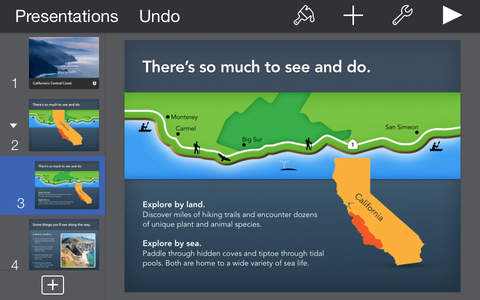
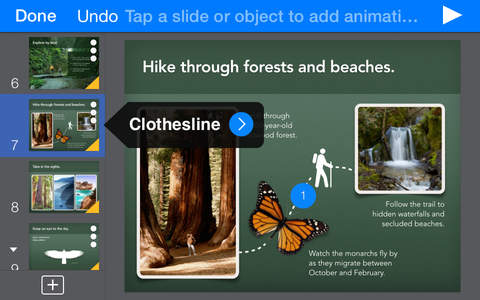
Keynote is the most powerful presentation app ever designed for a mobile device. It s the application you know and love on the Mac, but completely reworked from the ground up for iPad. It ...
Just like the others wont download cant delete Doesnt work
Try turning off your iPhone to reboot it once back on try to update again Updates
Lo recomiendo es súper buenísimo Me encanta este app
will not update cant delete Will not launch The app is fine but updates are having issues How to delete app that failed to update This will also delete your data First backup with iTunes your files on the device Also backup your iCloud data To delete stuck app go to iOS Settings General Manage Storage and then select Keynote There you can force a delete of a stuck app Then try to reinstall it The app itself is fine but sometimes updates fail and you have to do a delete as above Like many others will not update
Now that I have converted all of my presentations from PowerPoint to Keynote I will be reversing the procedure Its hard to believe that the Keynote app has been down for so long Thanks Apple wonder what Steve Jobs would say Glad I have PowerPoint
This app is a complete messed up I am beginning to think this is some kind of virus unable to delete Plsssssss FIX Zero rating
App is killing my battery every day trying to update PLEASE FIX
Update puts the up in the limbo Cant uninstall cant delete cant reinstall and cant activate Broken update
Simply wont download Who knows how good or bad the updated app is Impossible to say For now Ive just deleted if from my iPad after a days of effort to get it to load reload download or just stop and go back to the old version Oh well Avoid
I really like this app they have special effects unlike prezi the option of adding pictures wherever you like unlike prezi and its just a really great app Great for presentations unlike prezi gives you plenty of space on each page to do what you need unlike prezi gives you freedom of organization unlike prezi and as you can see is way better than prezi and I hate prezi and I suggest you get this app and never get prezi Its a great app
I created s PowerPoint presentation on the app now I need to email it and be able to open it on Microsoft PowerPoint but its not emailing the power point to who I need to have it Cant access PowerPoint
This Keynote app will not install on iPod Touch so please fix it or allow me to delete it I can not delete this uninstalled app Please Fix This App for iPod Touch
Watch interface really needs a back button Should be able to brush left to go the the past slide Keynote updated fine for me Watch Interface
Stuck in updating Upadate
I had this set to auto update and this app does not seem to complete updates Cannot delete it as it greys out and doesnt delete App stopped working Cannot update
Cant update cant delete cant launch and it wont let me give 0 star Useless
Same as everyone else Wont update
Never had this happen before This needs to be fixed Wont update just says waiting FROZEN
Ive used Keynote for a long time and I love it I can design a presentation on my iPad tweak it on my iPod and present it on my MacBook Air iCloud will automatically sync my presentations to all my devices I love all the features that Keynote has I especially love and use a lot the transitions Ive heard a lot of people complain that they couldnt update Keynote Ive had no problems it works fine on my iPad 4 and iPod 5 Better than PowerPoint
This app is trash Its poor U cant even write in Color OMG POOR
It sticks when upgrading Go to settings general usage storage manage storage find the app in the list click it then click delete app On some phones it will show at the top as a blank app with no name Remove it here then install again and you are good to go How to fix a stuck update
Broken Apple quality continues to decline Update
IOS APP is BEST APP IOS APP is BEST APP
My name is Laura Im the iTunes Store Senior Advisor you chatted with about not being able to update Keynote for iOS I know how eager you are to get this issue resolved and I am glad to assist you I have forwarded the details of your case to the Engineers After they have investigated the matter I will respond to you with additional information Waiting for a reply regarding the latest update issue
On July 7 u update ur productnow it is completely uselessn it wont let me in to do nadaplease either fix it or get rid of itim tired of looking at n app with a circle inside it telling me its installing for the last week when in reality it aint doin jack squatur latest updateAPPLEgets a 1 star cuz u cant give a negative review Fix or delete please
Love it anyway but its kinda annoying something Especially when it happen every time for a new slide Keynote crash when changing the text style
Seriously I have to write a review for you to notice this major issue Get this off my phone Wont finish downloading
I too was having issues with the eternal download but I am happy to report that it downloaded perfectly today and is working great Its back again
I have been trying to download this update for a couple of days I have used wifi and even kept my phone active I do not think that an app has ever been stuck like this on my many iPhones before I cant even delete it Edit I did manage to delete it by going into settings general usage storage manage storage and deleting the entry with no name near the top Thanks for the suggestion I tried to install it again and it still will not finish Update wont finish
I cant wait until this gets fixed so I can delete it from my phone Ugh
This app will not finish updating or anything else I also cannot delete it from my iPad Will not finish updating
Keynote doesnt work on my ipadWhy help please
Ive tried numerous times to update this app Uninstalled and reinstalled many times still nothing Fortunately Microsoft has a similar app that works just fine Expected more from Apple someone dropped the ball on this one Update Apple contacted me in reference to my poor review and gave me some tips on how to get it updated Works fine now Thanks for the quick response guys Will not update
Guys if it wont finish updating go to settings general usage manage storage click on Keynote click Delete App If it wont finish updating
The power supply in my iMac died I do a lot of CAD work so a PC is my primary computer Power Point just does not cut it from a font kerning and sharpness perspective but I can put stuff up in a hurry there Keynote for iPad saved the day I can work it well enough to improve presentations made on power point Thank you Apple Steve would be proud Great for fixing Power Point Presentations
Seriously I am trying to make one ONE simple image fit the screen but I cant since the image ALWAYS EXPANDS I think you do more harm than good work with your apps Apple BOOOO
The app takes up a lot of phone usage to begin with Add that with Apples other two Productivity apps and you got like 1 or 2 GBs of usage And thats before storing documents and projects in the app So annoying Cant even right now
APPLE came back to me as a result of my negative review and developed this fix that removes the KEYNOTE App and allow it to be reinstalled It worked the first time Thank you Apple Delete the iWork App and ReDownload Note Unfortunately if your iWork files are not stored in iCloud then deleting the iWork App will also delete the iWork files currently stored with the iWork App The files may be restored if the device is restored from a recent backup 1 Open Settings 2 Tap General 3 Tap Usage 4 Under STORAGE tap Manage Storage 5 Tap the iWork App it may have a blank name 6 Tap Delete App 7 Hardreboot the device press both the Home and Power buttons at the same time and hold them until the device restarts 8 Download the iWork App be sure the app downloads and installs before starting another download Cannot operate since last update Jammed half way through installing and non functional Cannot delete it either to reinstall It is now my new virtual paper weight Broken UPDATED WITH FIX
Someone please fix the update problem Its been saying loading or waiting for the last 3 days I rebooted my phone and everything and tried updating a few times Nothing works Thats the only reason for this review Update Problems
Im not sure if and how it relates But it seems that since this update has started getting stuck other app references clicking a map link in safari to open the google maps app is no longer working as well Wont update
If Apple cant release quality products or even an app then stop pricing your products like youre selling something special These complaints go back many weeks and they still cant be fixed Wont download and locks up iPad
I love it so much it better than PowerPoint D
like many others keep complaining mine doesnt work too not only pages but numbers is downloading forever also hurry up apple and fix these it doesnt finish downloading
Keynote itself is a cleverly designed application which takes advantage of the reduced screen space of an iOS device After most recent updates the program would freeze during corrections or modifications to a presentation The freeze would last a while I found that disabling iCloud for Keynote under settings eliminated the problem I know save my presentations to Dropbox If you like Keynote and the portability of your iOS device and you actually make presentations that are long and professional consider ditching iCloud The program should work well in this case Unfortunate and hard to believe that I need to do this but it is what it is I would give it five stars if it functioned well and properly with iCloud for professional presentations of good length Former review Keynote worked well before iOS 83 update and app update Now it freezes after almost every edit to a presentation and just sits there locked up for what seems like an eternity before functioning Until the next edit when the exact same thing happens I constantly use and rely on this app for teaching Please repair this mess Freezes During Editing FIX
Love this app apple great job so amazing for creating presentations for business the only thing i would say and that i please ask is that you had more customizable options like more shapes and for the shapes adding things like bevel options more shadow options things like that also adding more fonts would be amazing like i said love this app and definitely worth the money but please add those things i asked for apple LOVE LOVE LOVE
I updated this app three weeks ago and now it just stays blue and never updates I tried to delete it but it wont let me Getting so annoyed How do I get rid of the problem App wont download or delete
Ive been waiting for 3 days for this app to finish installing I never use it but cant delete it from my phone My phone just keeps running and running on the home screen Grrrrrrr Will Not Finish Update
I was very pleased with Keynote until this last update After 5 days Im still waiting for the Update to finish What Gives Update ruined it
Give me a break For an Appledeveloped app the size of this app is a travesty Googles mobile apps are much more streamlined and dont hog my precious iPhone storage space Bloated 440MB updates
My keynote shows as if is loading an update but noting happens in days I cant delete it from the way we delete apps and try to delete it from settingsgeneralmanage usage and it comes back No support on line Is this the new Apple way Cant reinstall keynote
By Kostas Gar.